
How can I search LinkedIn, InfoJobs and Indeed at the same time?
You can search all three at once with Scout Wand, a desktop app for Windows and macOS, or by running the same search in three browser tabs. Scout Wand runs one search across LinkedIn, InfoJobs and Indeed and shows the listings in one place; the free plan is €0 with up to 5 listings per day.
How it works
- Install Scout Wand on Windows or macOS.
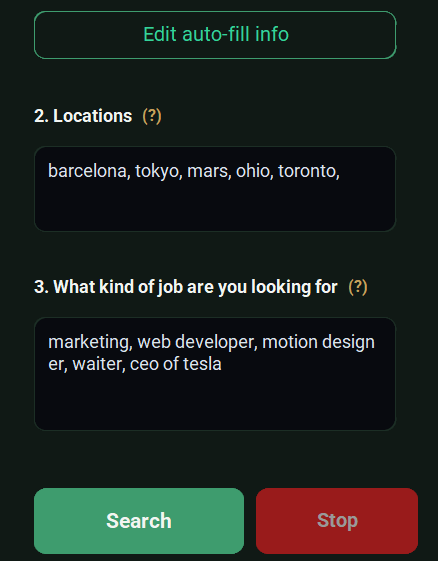
- Type the job you want and the locations. Uploading your CV is optional.
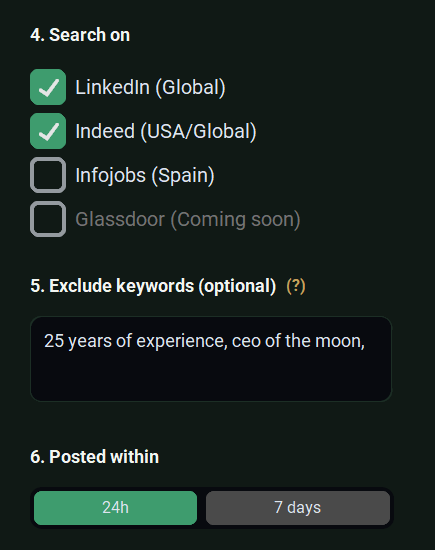
- Choose the sites and the time window. Pick LinkedIn, InfoJobs, Indeed, or all three, and the last 24 hours or the last 7 days.
- Review the listings found. They appear together in one list.

- Open a listing. "Manual" opens it in your own browser. "Auto-fill" opens it in the app's browser and fills the application form from the details you saved and your CV (optional). You review the form and press Submit yourself. Scout Wand never submits an application.
Other ways to do the same thing
- Three browser tabs. Run the same search on LinkedIn, InfoJobs and Indeed and compare by hand. It is free and always works. You repeat the search every time.
- Job alerts. Each site can email you new matches for a search you saved there. They are free and arrive without you opening anything, but each alert belongs to one site. See Scout Wand vs job alerts.
- Job aggregators. Sites such as Jooble list vacancies from many sources, but they do not promise to include every LinkedIn or InfoJobs listing.
What it costs
- Free plan: €0, no time limit, up to 5 listings per day (counted per device), no card needed.
- Scout plan (Scout Wand Unlimited at checkout): €12.99 per month excluding taxes (taxes are added at checkout), unlimited listings, one license for 2 devices, email support. You can cancel anytime.
Prices checked on 19 October 2026.
Limits (be honest)
- Scout Wand covers three job sites only: LinkedIn, InfoJobs and Indeed.
- Searches work by city. Searching a whole province or region returns few or no results.
- It runs on Windows and macOS only. There is no mobile app and no Linux version.
- Auto-fill has not been verified on every form, so some forms may need manual work.
- Job sites' terms of use may restrict automated access. Read them before you use any tool, including Scout Wand.
FAQ
Does Scout Wand really search the three sites at the same time? Yes. You type the search once and choose which of LinkedIn, InfoJobs and Indeed to include. The listings are shown together.
Does Scout Wand apply to jobs for me? No. Auto-fill is optional and fills the form fields; you review the form and press Submit yourself.
Can I search a whole province? Not reliably. Searches work by city, and a province or region returns few or no results.
Can I try it for free? Yes. The free plan has no time limit and allows up to 5 listings per day, with no card needed.
Does it work on my phone? No. It is a desktop app for Windows and macOS.
Last updated: 19 October 2026. By Adil, founder of Scout Wand.